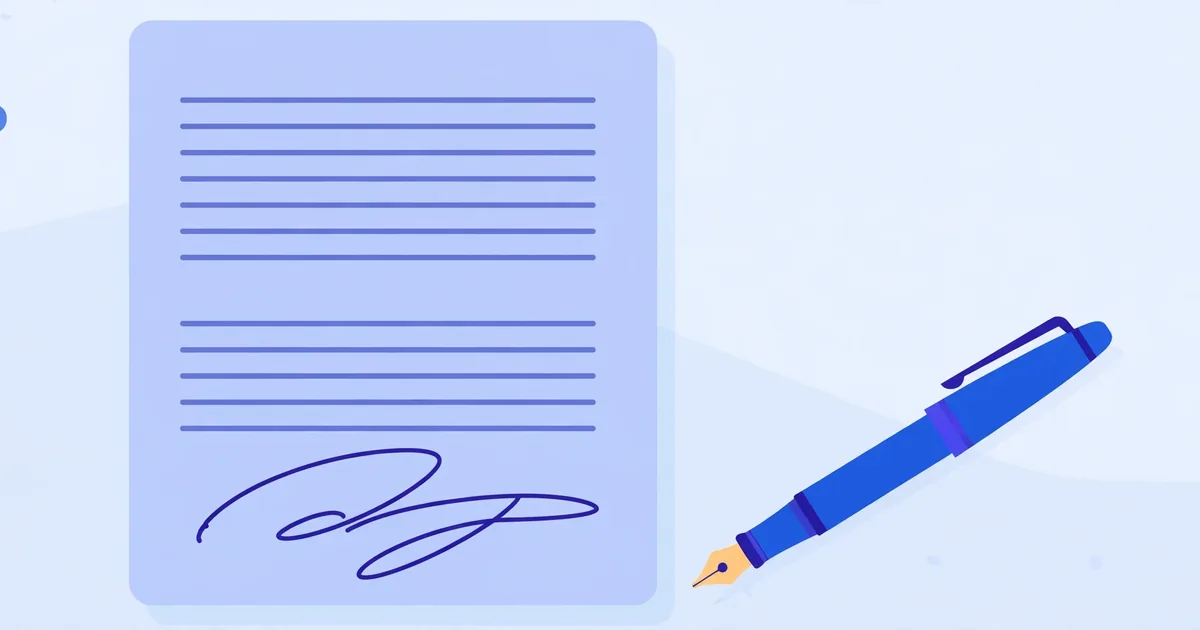
Let us start with the truth you need to know before anything else: when you ask to sign a PDF with a tool like the Adawati tool, you are placing an image of your signature — drawn with your finger or uploaded from your device — on top of the document page, exactly as if you had printed it, signed it with a pen and scanned it again. That is useful and acceptable in many everyday situations, but it is something completely different from a "certified digital signature", which is issued by trusted authorities with encryption certificates and is verifiably tied to your identity. Confusing the two types is a common mistake that can cost you the rejection of an official document or the loss of a dispute. This guide therefore explains the difference without exaggeration or marketing, then teaches you to use the tool correctly for the situations it genuinely suits.
The difference between a drawn signature and a certified digital signature
| Comparison point | Drawn signature (our tool) | Certified digital signature |
|---|---|---|
| What is it technically? | An image of a signature pasted onto the page | Data encrypted with a digital certificate from a trusted authority, tying the signature to its owner identity |
| Identity verification | There is no verification; anyone who has an image of your signature can paste it | The trusted authority verifies your identity before issuing the certificate |
| Detecting edits after signing | Detects nothing; the file can be edited afterwards | Any edit after signing invalidates the verification and shows clearly |
| Legal value | Varies by country, document type and the agreement of the parties; may be enough internally and between parties who agree | Recognised in systems that regulate electronic signatures, and some transactions explicitly require it |
| Cost and complexity | Free and instant from the browser | Needs a subscription or a certificate from a certified trust service provider and verification procedures |
The conclusion from the table: a drawn signature proves the "appearance" and does not prove "identity" or "integrity of content". If your purpose is an internal acknowledgement or an administrative approval between parties who know each other, it is practical and usually enough. But high-value contracts and government transactions that require a certified signature belong on the certified digital signature platforms in your country, not on any image-pasting tool — including ours.
Ways to create your signature in the tool
The Sign PDF tool offers three ways to create a signature; choose the one that suits your device and your level of skill:
- Drawing: draw your signature with your finger on mobile, or with the mouse or a screen pen. Drawing with a finger or pen usually gives a result closer to your handwritten signature than the mouse does.
- Typing: type your name and choose a signature font from the available fonts, including Arabic fonts such as Ruqaa and Kufi. The result is elegant, but it is more a "name written in a beautiful font" than a distinctive personal signature.
- Uploading an image: sign on white paper and photograph your signature or scan it and upload it (up to 5 MB, PNG or JPG), with an option to remove the white background so the signature blends cleanly onto the page.
In addition to the signature, you can create a stamp inside the tool: write text such as "Paid", "Approved" or "Confidential", with an optional second line and today's date, and choose a rectangular or circular shape and the colour you want, or upload an image of your ready-made stamp. The stamp can be saved in your browser to use in future sessions without recreating it.
Steps to sign a PDF with the tool
- Open the Sign PDF tool and choose your file (up to 100 MB); processing happens inside your browser and neither the file nor the signature is uploaded to any server.
- Create your signature in one of the three ways: drawing, typing or uploading an image.
- Add the signature to the current page, then drag it to its exact position and adjust its size, rotation and transparency until it sits over the signature line in the document.
- Move to the other pages if they also need a signature, or use "Copy to all pages" for stamps and phrases that repeat on every page.
- Review every page in the preview before saving, and make sure the signature does not cover important text.
- Save the file and download it, then open the resulting copy and verify it before sending.
The tool also works with rotated pages and scanned files, because it respects the page orientation stored in the file, so the signature appears in the same place you saw in the preview. If your file's pages are flipped to begin with, it is easier to rotate them first with the Rotate PDF tool and then sign the upright copy.
Is a drawn signature legally binding? The honest answer
There is no single answer that fits all cases, and any site that promises you its "signature is legally certified everywhere" is exaggerating. In reality, the laws of many countries recognise electronic signatures to varying degrees: some accept a simple signature in ordinary transactions as long as the signature can be proven to belong to its owner and that they consented to the document, while some transactions — such as real-estate notarisation and certain government and banking procedures — require exclusively a certified digital signature from an accredited authority. The agreement of the parties adds to this: a company may accept a drawn signature on internal purchase orders and reject it on the main supply contract. The practical rule: the higher the value or formality of the document, the greater the need to check the requirements before signing, not after. When in doubt, ask the receiving party itself: "Do you accept a simple electronic signature, or do you require a certified digital signature?" Their answer settles the matter.
Important reminder: the Adawati tool only places an image of your signature on the page. It does not issue certificates, does not verify your identity, and does not prevent the file from being edited after signing. Use it for what it suits, and do not rely on it where a certified signature is required.
Practical risks you should know before using any pictured signature
- Copyability: your signature inside the file is an image, and anyone who has the file can extract and reuse it. So do not publish signed documents publicly, and do not upload a signature image at a higher resolution than the task needs.
- Editability: because the tool does not lock the file, a dishonest recipient could edit clauses after your signature without any technical trace appearing. For important documents, keep your original signed copy and compare if any dispute arises.
- Possible extra protection: after signing, you can protect the final copy with a password via the Protect PDF tool to restrict opening it, understanding that password protection is one thing and a certified digital signature is something completely different; we explained protection in the article Password-Protect a PDF: When You Need It and How to Apply It. You can also add a watermark via the PDF Watermark tool to distinguish distributed copies.
Tips for a cleaner and safer signature
- Sign on white paper with a dark pen and take the photo in good light if you choose the upload method; shadows and reflections spoil background removal.
- Enable the white-background removal option for uploaded signature images so no white box appears around your signature on the page.
- Place the signature at a realistic size close to your handwritten signature; an oversized signature looks artificial and covers text.
- Name the output file clearly, such as "contract-signed", and keep it separate from the unsigned copy so you do not send the wrong one.
- Do not store images of your signature in public sharing services, and treat them as sensitive data that you only publish inside the intended documents.
Conclusion
The difference is now clear: signing a PDF with the Adawati tool means placing an image of your signature or stamp on the page inside your browser, quickly and for free — a practical solution for internal acknowledgements and everyday documents between parties who agree. A certified digital signature with a trusted certificate is a different service from different providers, and you need it for transactions that explicitly require it. Choose the type your transaction actually requires, and try the Sign PDF tool now if your task is of the first type.